Cover Page
Overview
What is an issue?
In JIRA, teams use issues to track bugs and individual pieces of work that must be completed. Depending on how your team uses Jira, an issue could represent a project task, a helpdesk ticket, a leave request form, etc. In JIRA, issues typically represent individual work items such as big features, user requirements, and software bugs. You can update issues to show work progress or add relevant information such as who is assigned to the work, in-depth description, or attachments.
What are issue types?
JIRA has different issue types that can help you identify, categorize, and distinguish between different types of work. The issue types out-of-the-box include:
 Epic
Epic
Represents a larger body of work. Epics are often represented as a collection of multiple issues.
Example: Start a lemonade stand.
 Task
Task
Represents a task that needs to be done. Tasks are used as ‘catch-alls’ and when the work cannot be accurately represented by the other issue types.
Example(s): Make lemonade. Create sign. Set-up stand.
 Story
Story
Represents a requirement expressed from the perspective of the user.
Example: As a lemonade enthusiast, I’d like to have a really cold, crisp drink.
 Bug
Bug
Represents a problem that needs to be fixed.
Example: The lemonade is too sour.
 Sub-task
Represents a more granular decomposition of the work required to complete a standard issue. A sub-task can be created for all issue types.
Example: Squeeze lemons.
Sub-tasks are child issues that can be added after an issue has been created.
Issue Hierarchy
What is JIRA issue hierarchy?
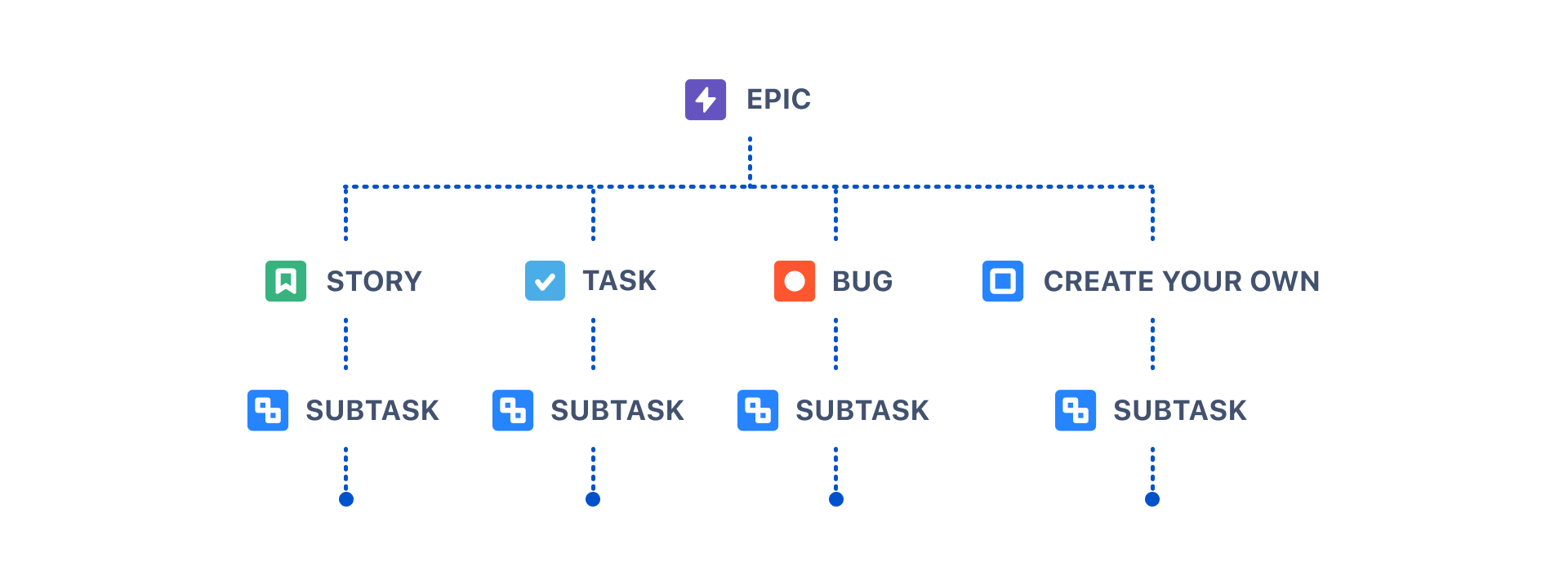
Let’s think about hierarchy in the context of an organization. At the top, you have your CEO. This person is supported by group of executives, who are also supported by a wider group of employees. Similarly, JIRA’s issue hierarchy levels showcases how pieces of work ladder up to broader initiatives and represent different levels of detail in a plan’s scope. JIRA's built-in issue hierarchy from top to bottom is as follows:
- Epics - Epics represent broad objectives or large bodies of work that can be broken down into stories, tasks, and bugs.
- Issues (task, story, bug) - Stories and tasks are issues that represent work that needs to be completed in support of those larger goals. Bugs are problems that impede the progress or functionality of work.
- Sub-tasks - A granular piece of work required to complete a story, task, or bug.
Issue Anatomy
What is the anatomy of an issue?
Issues capture a lot of information about a piece of work, such as assignee, due date, status, and more. In JIRA, we refer to each of these elements as an issue field. You can create a custom field to collect information that isn’t available in the default system fields.
Choosing which fields appear on your team's issues, which of those fields are most important, and where those fields appear can help your team move work forward faster. The issue view's design enables great flexibility in where you place your fields. An issue’s layout can be separated into 5 key regions:
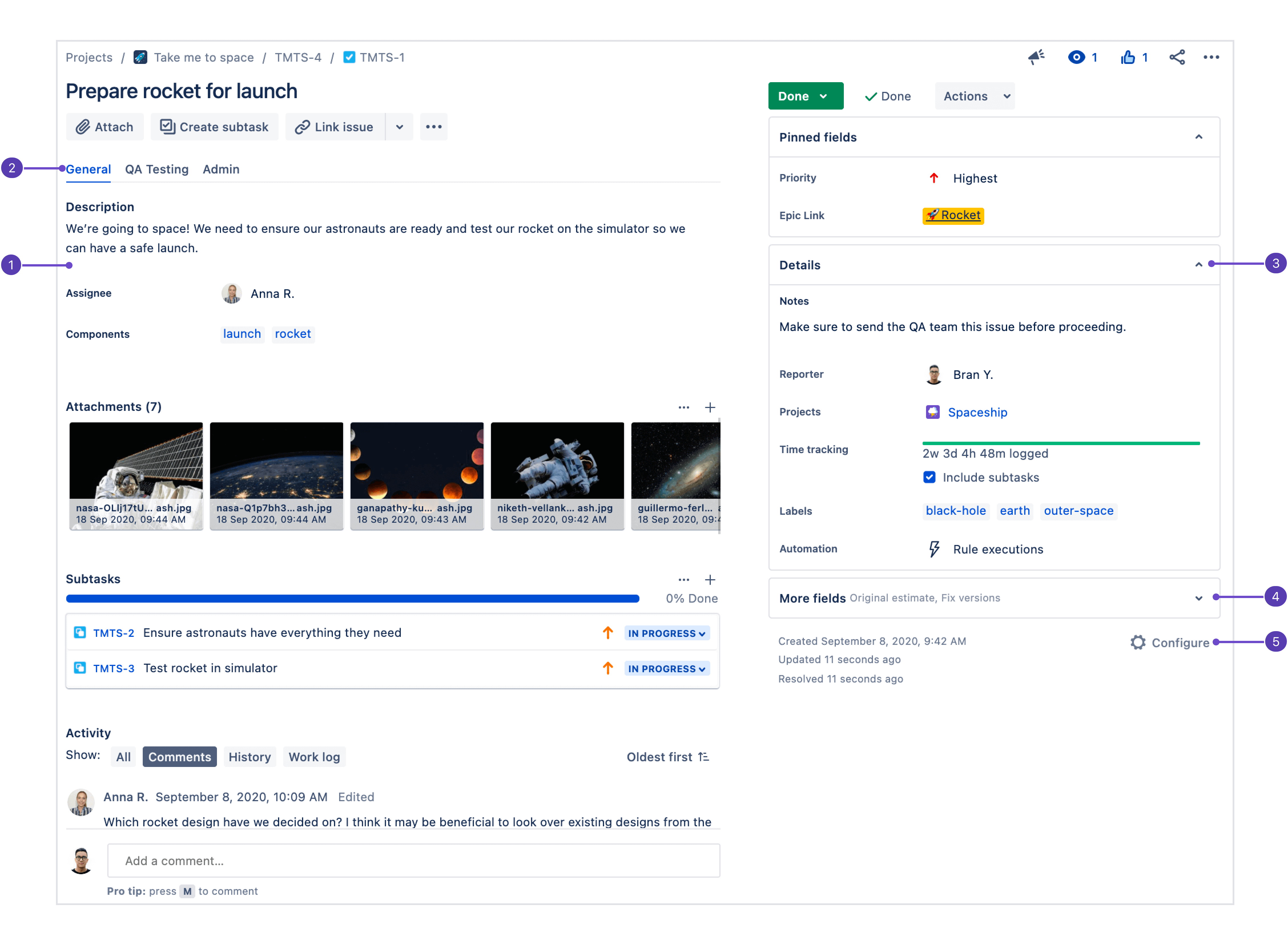
- Description: Since this section is the first place users look when they open an issue, your most important fields should be configured here.
- Field tabs: If the issue layout's screen is configured with more than one tab, they'll show up here. Field tabs can be leveraged to organize information that may be relevant to different teams, for example.
- Context fields: Fields above the hide when empty line in configuration appear here in the Details group. Each user can pin their most important context fields into the Pinned fields group depending on what works for them.
- More fields: Fields under hide when empty are placed in this group when they don't have a value. When they have a value, they'll appear in the Details group.
- Configure issue layout: Click Configure to change the position and visibility of fields in the issue view.
Parent & Child Issues
What are parent and child issues?
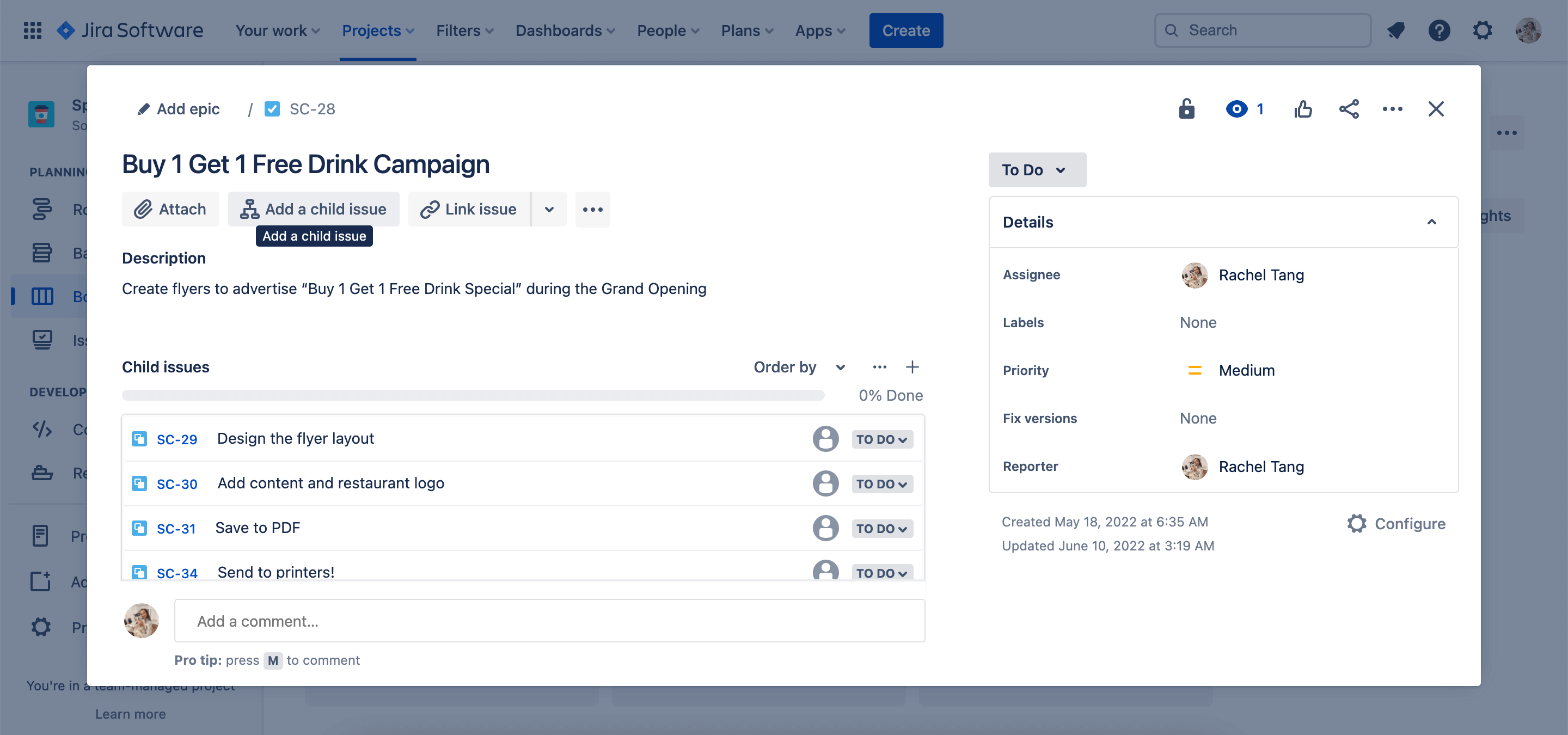
Parent and child are terms that describe a type of relationship between issues:
- A parent issue is an issue that sits above another issue e.g. a task is made up of sub-tasks
- A child issue is an issue that sits below another issue e.g. a sub-task that belongs to a task
This means that the parent and child relationship isn’t limited to specific issue types. Rather, any issue type can be both a parent and a child issue — the only exception being subtasks, which can only be a child since there aren’t any issue types below it in the hierarchy.
Linked Issues
What are linked issues?
As with any project, there may be dependencies between your tasks. You can easily represent this association in Jira by linking issues together. Associations that come out-of-the-box are:
- blocks/is blocked by
- clones/is cloned by
- duplicates/is duplicated by
- relates to
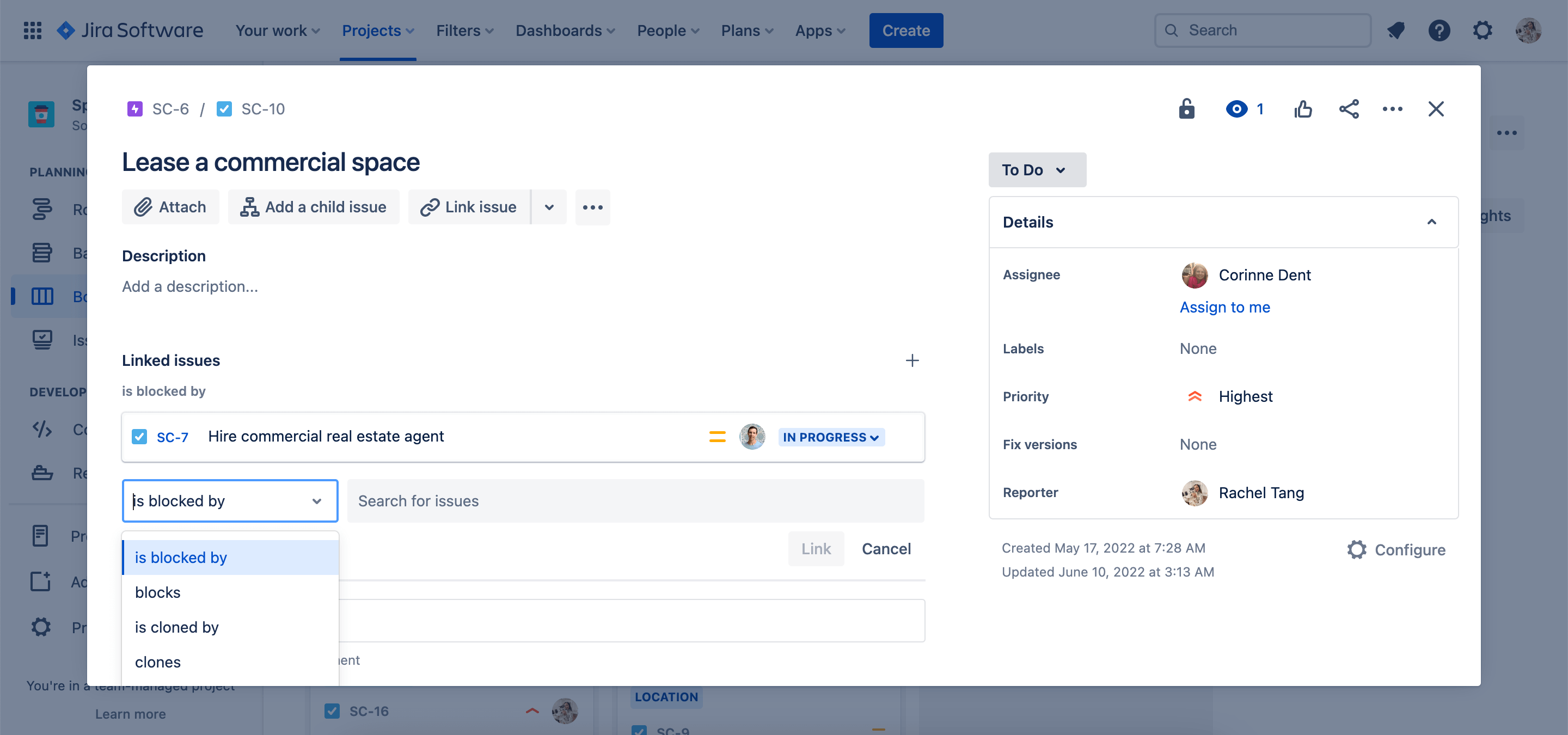
All linked issues will appear on each issue. This makes it easier for teams to navigate between connected work and showcase dependencies.